 Over 20 years of experience in Sterile, Biological Pharmaceutical and Hospital Facilities Engineering Design, Construction and Validation.


17 Jun Psychrometric Processes in Excel
1. Introduction
On this occasion, we present a spreadsheet for psychrometric processes in Excel. Personally, I find it very useful for
1) visualizing processes graphically
2) determining the approach for designing a system
3) appreciating how close the points are to the saturation point
4) etc.
If you want a free copy, request it from the contact page.
2. Description of Pysichrometric Process Calculations in Excel
The spreadsheet is quite simple and intuitive. First, you will need to enter the location and altitude of the site to customize the psychrometric calculations based on the altitude (click on any image to enlarge it)

Once this is defined, you can start working with the following options:
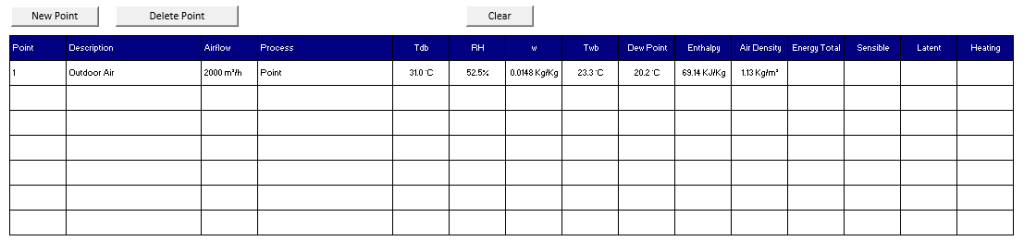
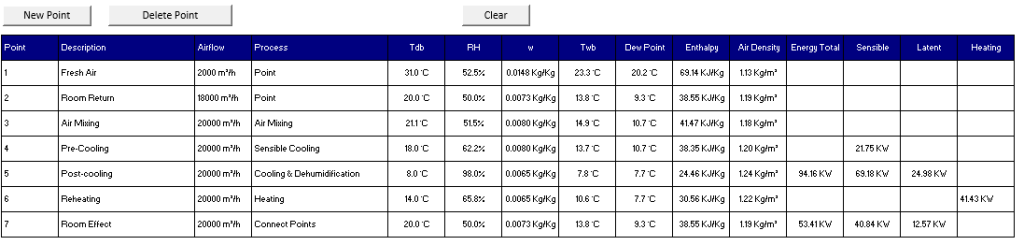
1. Point: Enter a description of the process (optional) along with the temperature and relative humidity. The entered point will appear on the psychrometric chart.

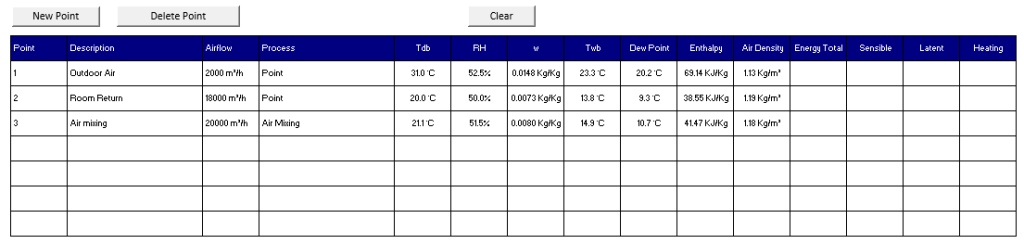
2. Air Mixing: Enter two points corresponding to the air streams that will be mixed. The result will show the temperature and humidity of the mixture.

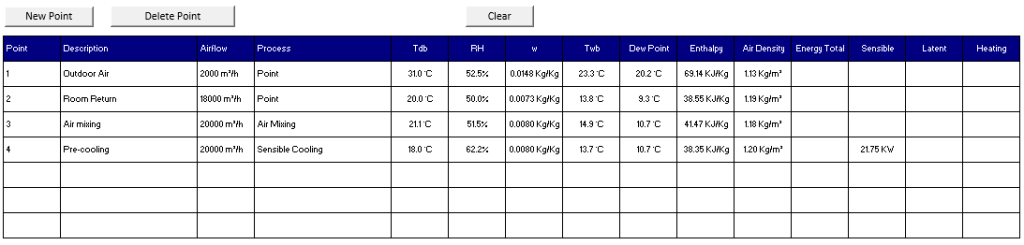
3. Sensible Cooling: Enter the starting point and the final temperature. The result will show the sensible power involved in this process.
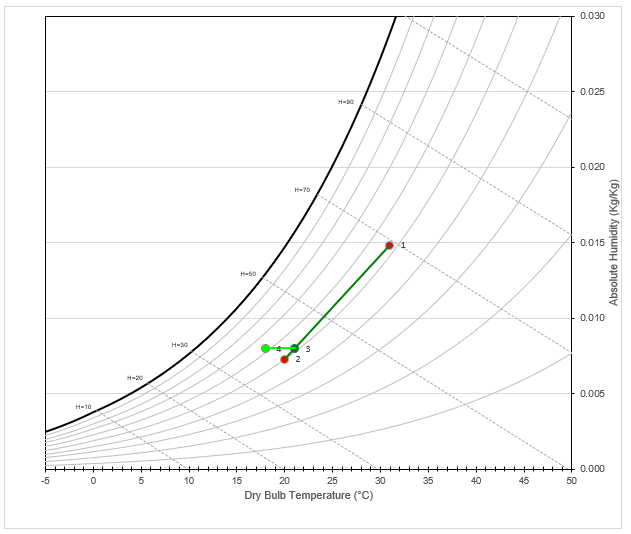
4. Cooling and Dehumidification: Enter the starting point, and the final temperature and humidity. Note that the final humidity must be close to saturation to achieve condensation.
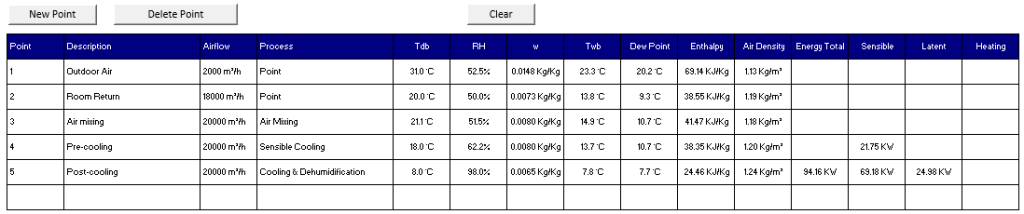
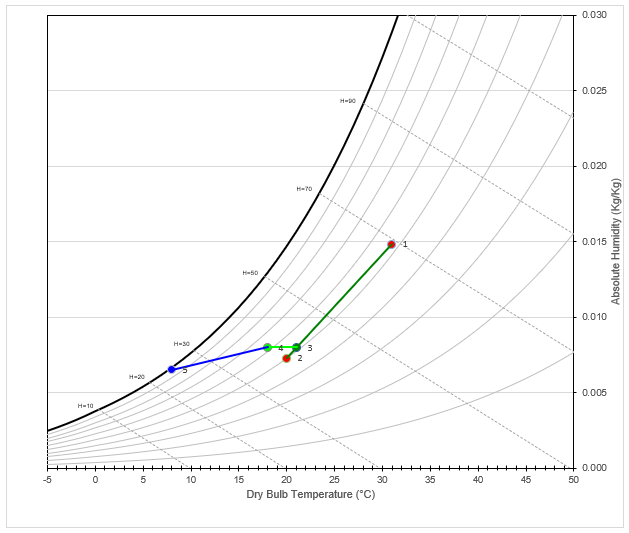
5.Heating: Enter the starting point and the final temperature to obtain the sensible capacity. This can be used for heating or reheating calculations.
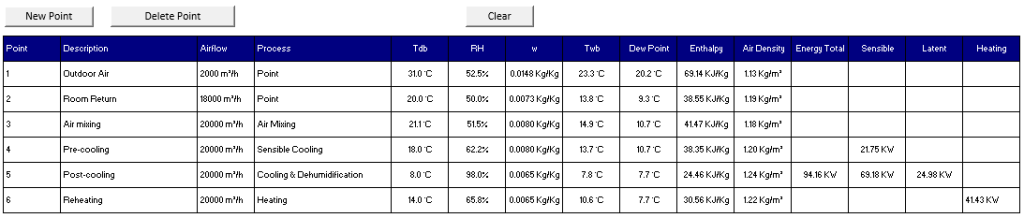
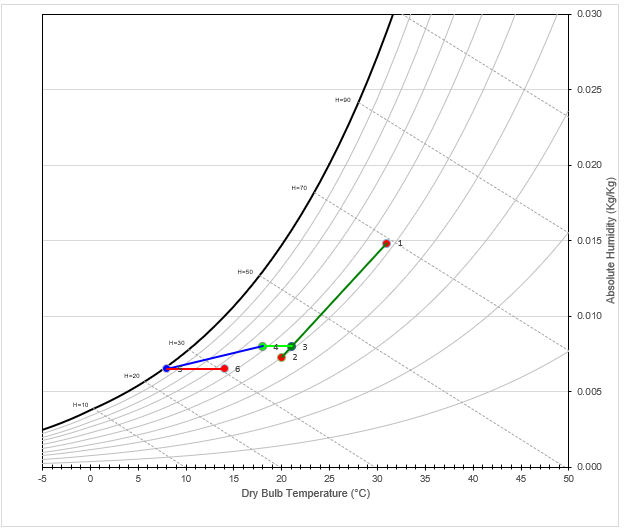
6. Connect Points: Finally, you have the option to connect two points and obtain the energy involved in the process. This can be useful to verify, for example, that the sensible and latent heat removal requirements in a space are met.

3. Get a free copy of the spreadsheet
Fill out the form on the contact page, and I will send you a free copy of the Excel spreadsheet. Please note that we do not accept responsibility for the results generated. The spreadsheet is provided “as-is” without warranty of any kind, express or implied.
Note: psychrometric formulas used: https://github.com/remcmurry/Psychropy/blob/master/psychropy.py


Daniel Foley
Posted at 12:33h, 18 Junen/a
Deepak Kaushik
Posted at 10:35h, 24 SeptemberGreat Post.